Access checks in order
Complete the base game
The official expansion description explicitly requires completion of the base game. Simply owning the DLC does not bypass that prerequisite. Check this first if you have not finished the original game.
On Steam, check that Risen Ballbylon is installed
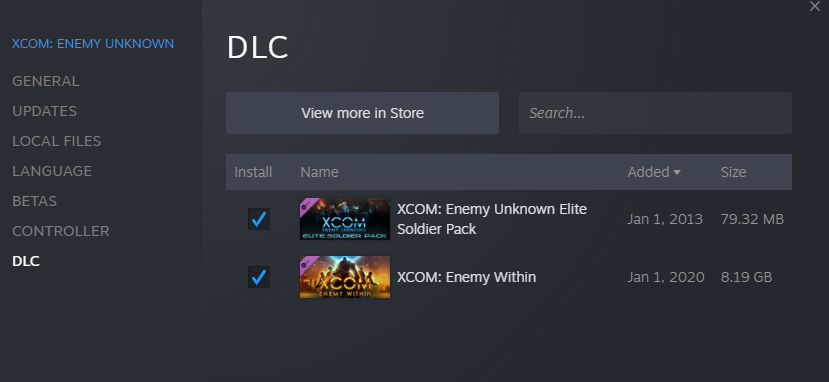
In your Steam Library, right-click BALL x PIT and choose Properties, then open DLC. Confirm the Risen Ballbylon entry is checked for installation. This is the check suggested by developer scoiwican in the launch-day access discussion. If Steam is still downloading the content, let installation finish before checking the game again.
 Open full-size image ↗
Steam interface example from Valve. For this task, open BALL x PIT’s Properties → DLC and check the Risen Ballbylon entry. The example image shows another game. Check the stage list, including below the visible rows
Open the stage list and scroll downward to check for the expansion stages. A player in the launch-day discussion found that the new entries were below the initially visible list. Look for Flooded x Sewers, Shadowed x Alleys, Castle x Ramparts and Outstretched x Spire.
Choose the next guide for your run
Once the DLC stages are available, use the recipe finder to plan an evolution, or use the character table to choose which biome and building to work toward. The new content is for returning players who have completed the base game.
What success looks like
The Risen Ballbylon stage entries are visible and selectable in your stage list. From there, you can enter the expansion and work toward its recipes and character blueprints.
If it does not work
- Base game not completedComplete the base-game prerequisite first.
- DLC absent in Steam PropertiesCheck that you are viewing BALL x PIT and that this Steam account owns Risen Ballbylon.
- DLC listed but uncheckedCheck the Risen Ballbylon entry and let installation finish.
- DLC installed and base game completeScroll down the stage list and check the new entries again.
- Stages still missing after these checksReport your platform, installation state and progression to the developer. The launch-day reports do not establish one fix for every save. Do not delete your save to follow this guide.
Next steps
Sources & scope
For the Risen Ballbylon expansion released November 12, 2026.
- Official Risen Ballbylon details — expansion access and content.
- Launch-day DLC access discussion — developer scoiwican’s installation check and a player’s stage-list scroll report.
- Valve: find and manage installed DLC — Steam Properties → DLC interface example.
Game artwork © Kenny Sun / Devolver Digital. Steam interface example © Valve. This is an independent fan guide.